








.webp?width=387&height=387&name=Medtech%20Breakthrough%20Award%20Winner%20(1).webp)
























Provider Payer Roster Management, From Submission to Reconciliation to Delegated Sync
85% Less Staff Time
On roster updates and submissions
Any Format
Ingested and normalized automatically
Bidirectional Data Exchange
Submit, receive, reconcile
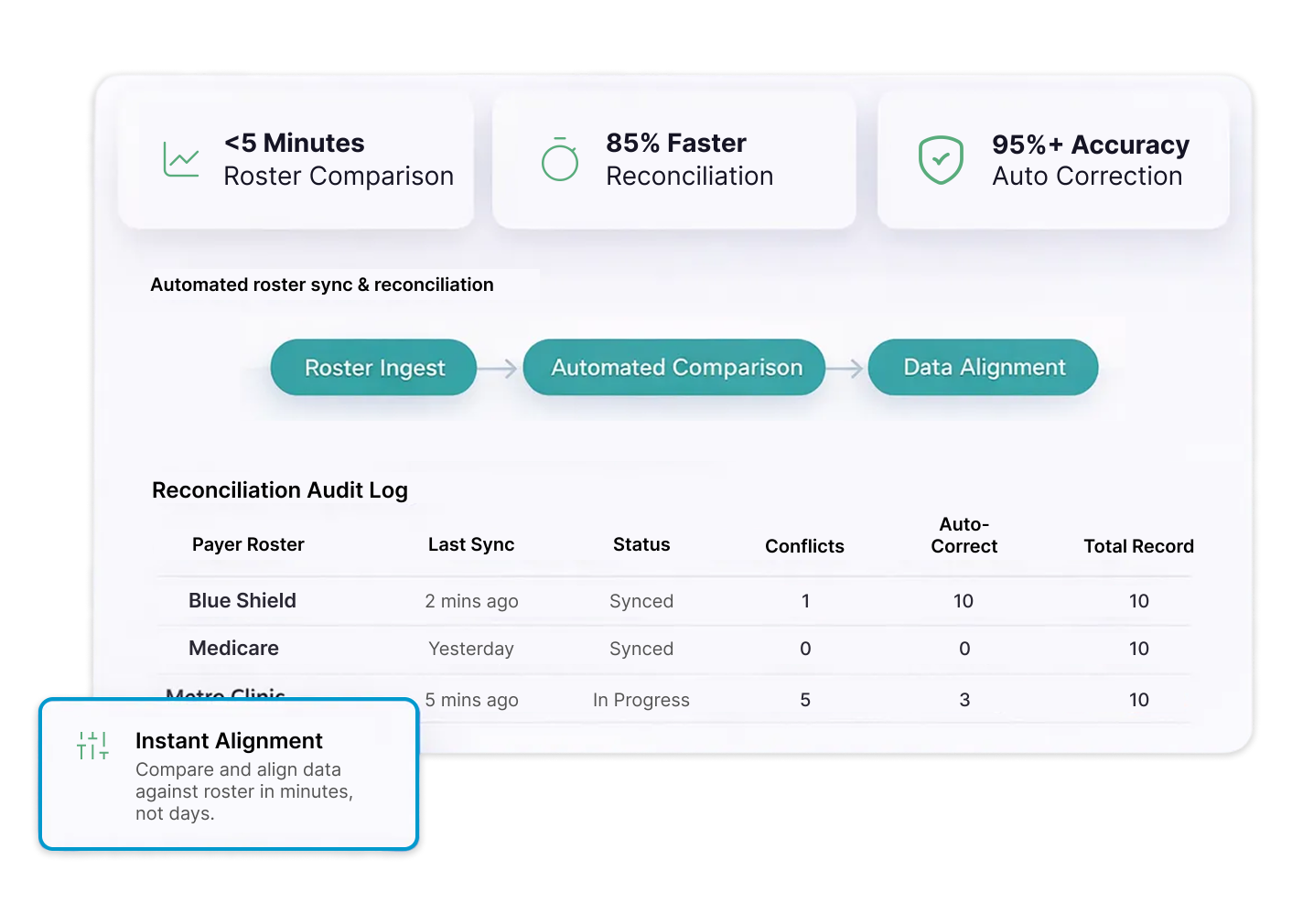
No Two Provider Groups
Send Roster Data
the Same Way.

Inconsistent Formats, Constant Manual Work
Rosters arrive as Excel files, PDFs, CSVs, and copy-paste text from different groups on different schedules. Every file requires manual cleanup before it can be used.

No Visibility Across Payer Relationships
When roster submissions, reconciliation cycles, and correction responses span dozens of payers simultaneously, tracking status across all of them manually becomes a full-time job in itself.
Discrepancies That Nobody Catches in Time
Terminated providers still listed, active providers missing, and outdated demographics in payer systems create claim denials and directory errors that surface weeks after the fact.
PRIME® Manages the Full Roster Lifecycle in One Platform
From the moment a roster arrives to the moment every connected system reflects the correct record.
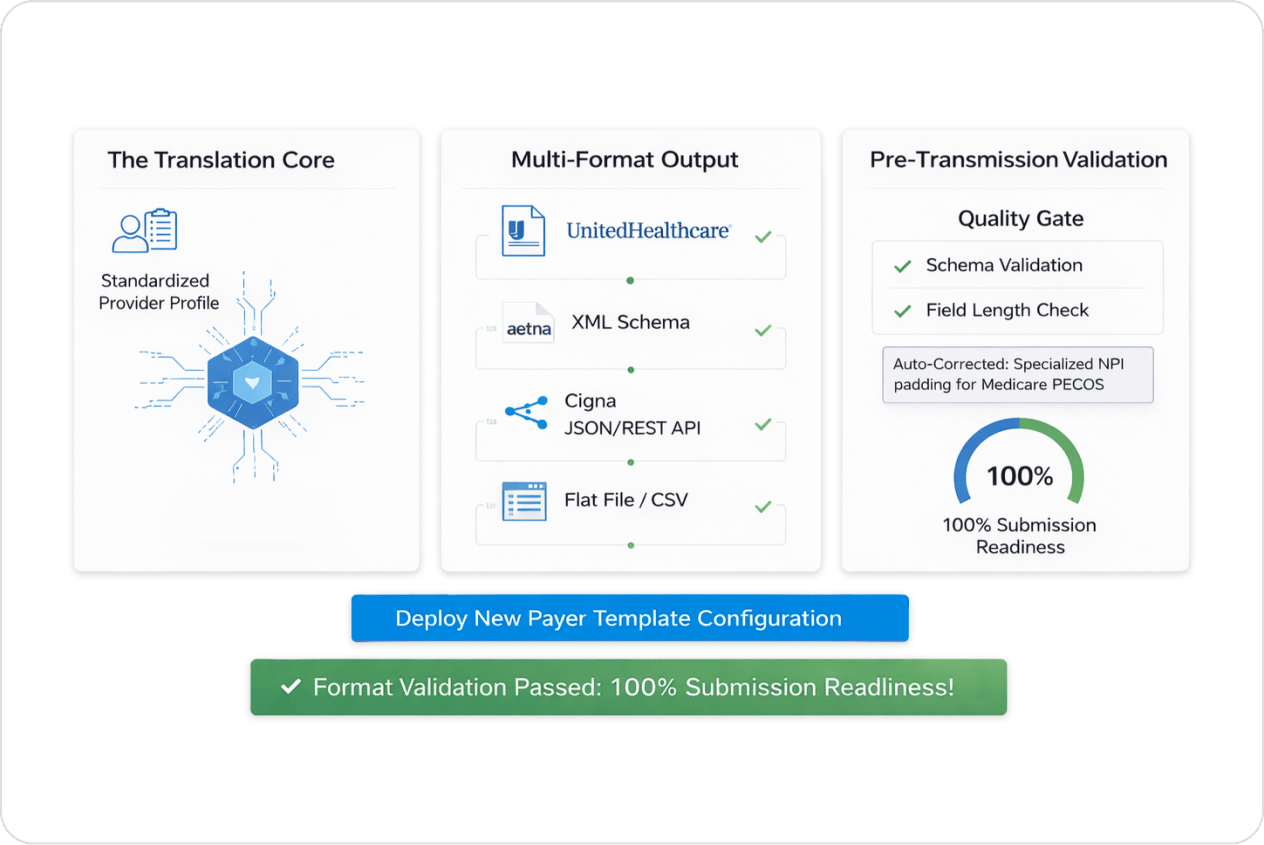
[01] Roster Submission
Automated Payer-Specific Submissions
- Auto-generates payer-specific rosters from your governed provider data record
- Formats submissions to each payer's required structure, EDI, flat file, XML, or proprietary layout
- Pre-submission validation catches format errors and missing fields before transmission
- Tracks submission status, payer acknowledgment, and response turnaround across all payers in one view
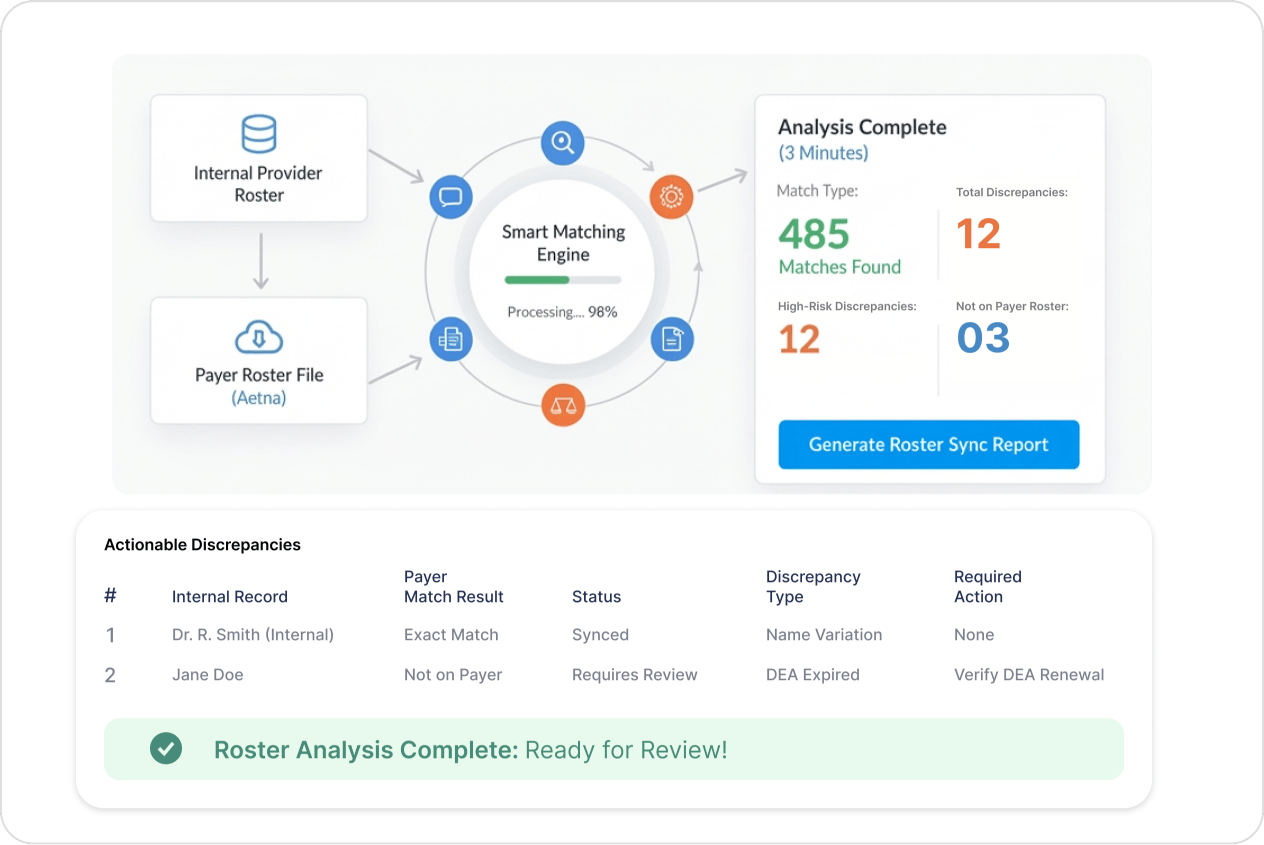
[02] Roster Reconciliation
Compare, Identify, and Correct Discrepancies Automatically
- Ingests rosters received from health plans and compares them against your Provider Data Engine record
- Identifies additions, terminations, address changes, specialty mismatches, and network tier discrepancies
- Smart matching logic resolves name variations and NPI formatting differences without false positives
- Queues confirmed corrections for automatic resubmission through each payer's preferred channel
[03] Delegated and Non-Delegated Sync
Normalize and Reconcile Data From Every Source
- Ingests delegated roster files in any format, Excel, PDF, CSV, Word, or copy-paste text
- Rule engines normalize naming conventions, fill gaps, match tax IDs, and resolve NPI mismatches
- Applies the same reconciliation workflow to both delegated and non-delegated provider groups
- Tags every record with its source so discrepancies can be traced to origin, not just flagged at the surface
.webp?width=1264&height=845&name=Audit%20trial%20(2).webp)
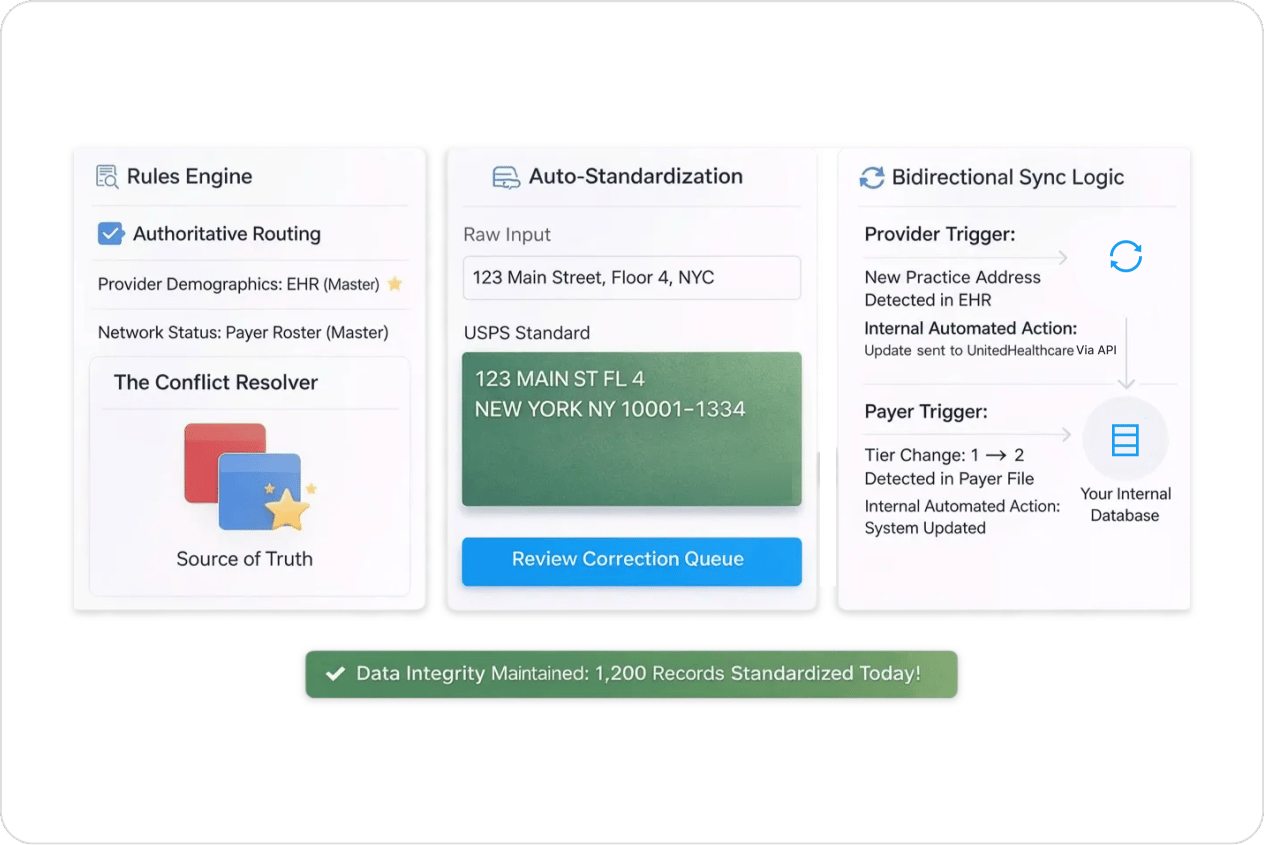
[04] Bidirectional Data Exchange
Keep Every System Current in Both Directions
- Pushes validated provider updates to payers and receives network status changes back automatically
- Connects with claims platforms, CRM systems, directories, and EHRs through FHIR, HL7, and EDI
- Change notifications trigger immediate sync across all connected systems without manual coordination
- Payer performance dashboard tracks response times, load turnaround, and submission KPIs per payer
Complete Documentation
- Submission audit trails showing transmission date, payer acknowledgment, and approval or rejection records
- Reconciliation logs documenting every discrepancy identified, correction applied, and resolution confirmed
- Source attribution records tracing every delegated record back to the provider group that submitted it
- Payer performance reports tracking response times, rejection rates, and correction turnaround by payer
.webp?width=1264&height=845&name=Audit%20trial%20(1).webp)