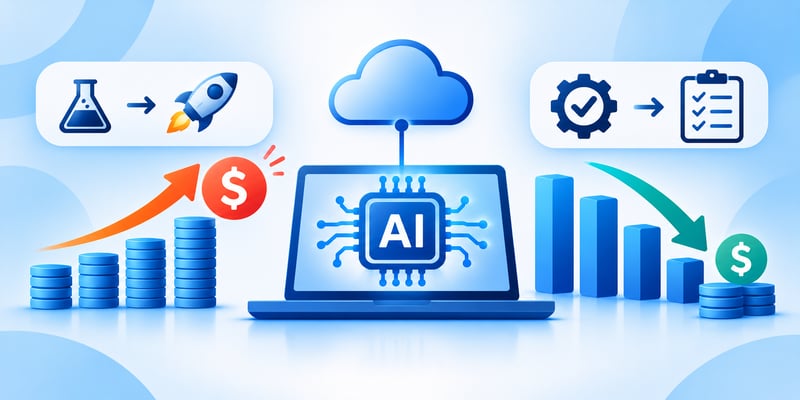
Enterprise AI spending has moved out of innovation budgets and into day-to-day operating costs. The FinOps Foundation's State of FinOps 2026 survey found that 98% of FinOps teams now manage AI spend, up from 31% two years earlier. AI cost management is also the skill those teams most want to add.
Most of that pressure builds once an AI tool moves from pilot to production. Pilots typically run with a limited group of users and a few defined tasks. Production brings more users, longer prompts and agents that make several model calls to finish one task. Because most AI services bill per token, each of those changes shows up on the invoice.
This is one of the main reasons AI projects stall. Gartner found that at least 50% of generative AI projects were abandoned after proof of concept, with escalating costs among the leading causes. It also predicts that over 40% of agentic AI projects will be canceled by the end of 2027, for similar reasons.
Most of this growth can be managed. Here's why costs climb, where the money actually goes and seven practical ways to bring the bill down without losing value.
Falling prices, rising bills
On paper, AI keeps getting cheaper. Stanford's 2025 AI Index found that the price of a GPT-3.5-level query fell more than 280-fold between November 2022 and October 2024.
So why do enterprise bills keep rising? Usage tends to grow faster than prices fall. Cheaper models invite more use cases, longer prompts and more automated calls, and the total climbs anyway.
Why AI costs climb after the pilot
Pilots are built to prove value quickly. Scale exposes the shortcuts they took along the way.
More users arrive. A tool built for one team opens up to the whole company, often before anyone sets a budget.
Prompts get longer. Users attach whole documents and long chat histories to every request, and every extra token is billed.
Agents multiply calls. A single task can trigger many model calls behind the scenes as an agent plans, checks its work and retries.
One model handles everything. Simple questions go to the most capable and most expensive model by default.
Nothing gets cached. The same system instructions and reference material are paid for again on every call.
No one sets limits. Without budgets per user, team, or session, a few heavy users drive costs for everyone.
Data access widens. Queries start reaching across finance, supply chain, and sales data, which adds pipeline and infrastructure costs.
Where the money goes
AI spend sits in four layers. Each one has its own main lever.
|
Cost layer
|
What it includes
|
Main lever
|
|
Model usage
|
Input and output tokens on every call
|
Model routing, caching, and shorter context
|
|
Infrastructure
|
Hosting, GPUs, vector databases, and storage
|
Right-sizing and autoscaling
|
|
Data pipelines
|
Ingestion, cleaning and indexing
|
Process once, reuse often
|
|
Operations
|
Monitoring, testing, releases, and support
|
Fixed release cycles and automation
|
Model usage tends to get the most attention. Infrastructure and data pipelines can grow just as fast once AI moves into production, so watch all four.
Seven ways to cut AI costs without losing value
None of these require rebuilding your AI stack. Most can be rolled out one use case at a time.
1. Route each task to the right model
Most queries don't need your most powerful model. Send simple requests like summaries, classification, and lookups to smaller, cheaper models, and save large models for complex reasoning.
2. Cache repeated content
If every request carries the same instructions or reference documents, you pay for them every time. Prompt caching fixes that. Some providers bill cached input at about 10% of the standard input price, or less.
3. Batch work that can wait
Reports, bulk document processing, and overnight analysis rarely need instant answers. OpenAI, Anthropic, and Google all offer roughly 50% off for batch jobs that return results later.
4. Trim the context
Sending a whole 80-page document to answer one question is expensive. Retrieval lets you pass only the relevant passages, which cuts tokens and keeps answers focused.
5. Set usage limits
Cap spend per user, department, and session. Limits stop a few heavy users or a runaway agent from driving the bill for everyone.
6. Standardize frequent requests
When the same kind of request keeps coming up, turn it into a template or a purpose-built agent. Standard prompts are shorter, cache better, and are easier to test.
7. Measure cost per use case
Track what each use case costs against the value it delivers. Scale the ones that pay back, and fix or retire the ones that don't.
Build cost governance in from day one
Cost controls work best when they arrive with the rollout. Adding them after the first shocking invoice is much harder.
Start with ownership. Every use case should have a business owner and a budget, so someone is accountable for both value and spend. Add usage caps by role and department, and give owners a dashboard showing daily spend by team, model and use case.
Release discipline helps too. Shipping changes on a fixed schedule, with a cost check before each release, stops a new feature from quietly doubling token use. A monthly review of cost against value keeps the whole program honest.
Unmanaged AI tools are part of the picture. When employees use AI tools IT doesn't know about, that spend and risk sit outside your controls.
Metrics worth tracking
A few simple numbers tell you whether your AI spend is healthy.
- Cost per active user: Shows whether adoption is healthy or wasteful
- Cost per task: Shows which workflows are expensive
- Cache hit rate: A low rate means you pay twice for the same content
- Share of queries on small models: A higher share usually means a lower bill
- Value per use case: Hours saved or revenue influenced, set against cost
Review these monthly alongside your budget. Trends matter more than any single month.
See how Atlas keeps enterprise AI on budget
AI costs rarely get out of hand because of one decision. They grow with every new user, longer prompt and agent call that a successful pilot attracts. The firms that keep spending under control treat cost as a design choice from the start. They route tasks to the right model, cache repeated content, set limits and measure what each use case returns.
Put those basics in place before you scale, and AI can move from pilot to production without the budget surprises that stall so many projects.
Book a demo to see how Atlas helps teams route models, set usage limits and track AI cost by use case.