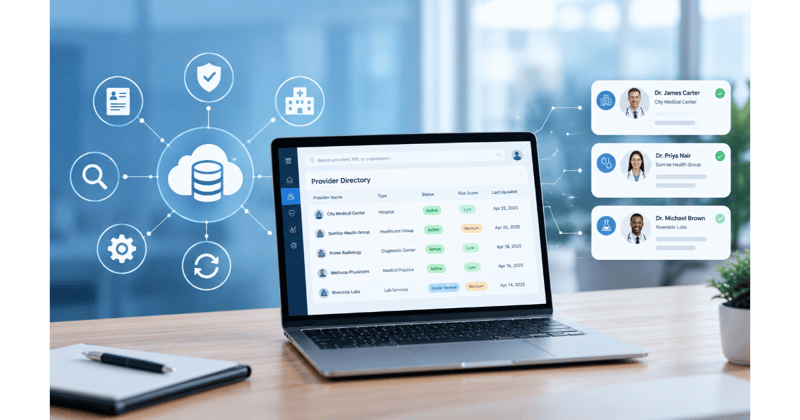
When members open your provider directory, many of them are not looking for a doctor. They need an imaging center that takes their plan, a lab near work, a home health agency that serves their county, or a supplier that can deliver a hospital bed this week. Each of those searches depends on a facility or ancillary record, and each one fails in a different way when the record is out of date.
Most directory validation work is designed around practitioners, from the outreach scripts to the fields being checked. Facility records change differently: services move between sites, hours shift, organizations merge, and a single hospital system can hold dozens of locations under one name.
Provider directory accuracy for these records depends on treating them as their own category, with their own sources, fields, and verification rhythm.
What Counts as a Facility or Ancillary Record in Your Directory
Facility and ancillary records are directory listings for organizations rather than individual clinicians, such as hospitals, imaging centers, labs, home health agencies, and durable medical equipment (DME) suppliers. They tell members where a service is offered, what it includes, and how to reach it.
The term ancillary provider covers a wide range of organizations, and members look for different details in each.
|
Facility type
|
What members look up
|
|
Hospitals
|
Location, departments and services, main phone number, network status
|
|
Skilled nursing facilities
|
Location, admission contact, network status
|
|
Ambulatory surgery centers
|
Procedures offered, location, scheduling contact
|
|
Imaging centers and labs
|
Services offered, hours, whether appointments are required
|
|
Home health and hospice agencies
|
Counties or ZIP codes served, intake contact
|
|
DME suppliers
|
Equipment categories, service area, how to place an order
|
The details that matter most change by facility type. A correct street address is essential for an imaging center, while a DME supplier that delivers to members’ homes needs an accurate service area far more than a storefront address.
How Facility Data Differs From Practitioner Data
Facility records share a directory with practitioner records, but almost everything about how they are identified, how they change, and who can confirm them is different.
|
Aspect
|
Practitioner records
|
Facility and ancillary records
|
|
Identifier
|
Individual National Provider Identifier (NPI), known as Type 1
|
Organizational NPI, known as Type 2, sometimes more than one per organization
|
|
What changes most often
|
Office location, accepting-new-patients status, specialty
|
Services offered, sites, hours, ownership, and names
|
|
Who can confirm a change
|
The practice office
|
Varies by site: central administration, a department, or a scheduling line
|
|
Useful public sources
|
State medical license boards, NPPES
|
State facility licensing records, NPPES, CMS Care Compare for some facility types
|
These differences explain why a process tuned for practitioners does not carry over cleanly. Calling a hospital’s main line to confirm a single outpatient service often reaches a switchboard that cannot answer the question.
Where Facility and Ancillary Records Go Wrong
Errors in facility records tend to follow a few repeatable patterns, and knowing them tells your team where to look first.
Services listed that a location no longer offers
Health systems regularly move services between campuses, close a department at one site, or open an outpatient center elsewhere. The directory keeps listing the old service at the old address until someone checks, and a member who drives there for an MRI finds a building that no longer offers one.
Multiple sites rolled into one parent record
A health system or lab company may appear as one record even though members are served at many locations. When that happens, the directory shows one address, one phone number, and one set of hours, and members have no way to find the site closest to them or confirm what it offers.
Ownership changes, mergers, and name changes
Health system consolidation means facilities change hands and rebrand over time. A merger can change a facility’s name, its tax identification number, and its contracting status at once, and the directory may carry the old name for months while members search for the new one.
DME suppliers defined by service area rather than a street address
Many DME suppliers deliver equipment to members’ homes, so the address on file says little about who they can serve. If the service area is missing or outdated, members in covered counties may never find the supplier, while members outside its range call and get turned away.
Phone numbers that route to central scheduling
Large organizations often route every location’s calls to one central number. That number may be correct, but it rarely helps a member who needs a specific site’s hours or needs to know whether that location offers a particular service.
Why Facility Records Get Less Validation Attention
Facility records often sit at the edge of provider data validation programs, for reasons that make sense individually but add up over time:
- Outreach scripts and data fields were designed for practitioner offices, so they ask the wrong questions of a hospital or supplier
- Facility records are fewer in number than practitioner records, so they slip down the priority list when resources are tight
- No single contact can confirm every detail for a multi-site organization
- Validation tools that match records against licensing boards are built around individual licenses, and facilities are licensed differently
Federal rules now set an outer limit for Medicare Advantage plans. Under the REAL Health Providers Act, signed into law in February 2026, plans must verify directory information at least every 90 days starting in plan year 2028. For hospitals and other facilities CMS designates, the bill text allows a less frequent schedule, but never less often than once every 12 months. That ceiling is a minimum standard, and facility types whose services or sites change often may need checking more frequently.
What Accurate Facility Data Looks Like
A health plan with reliable facility data can answer a handful of questions with confidence for every facility record:
- When was each location last verified, and by which source?
- Do the services listed match what each specific location actually offers?
- What share of facility records were verified within your planned cycle?
- How many member complaints or call center contacts involve facility listings?
- How quickly do ownership and name changes reach the directory?
Tracking these measures by facility type shows where accuracy is slipping. A plan might find that hospital records hold up well while home health and DME listings drift, which tells the team where to focus outreach.
A Practical Playbook for Validating Facility and Ancillary Records
The following steps help provider data teams build a validation approach suited to facility and ancillary records.
Inventory facility types and the fields that matter for each
Start by listing every facility type in your directory and deciding which fields members rely on for each. Services and hours matter most for imaging centers and labs, while service area and ordering contact matter most for DME suppliers and home health agencies. This list becomes the checklist your validation work follows.
Match verification sources to each facility type
Different facility types have different reliable sources. Facility websites, state facility licensing records, and NPPES apply broadly, and CMS Care Compare covers hospitals, nursing homes, home health agencies, hospice, inpatient rehabilitation facilities, long-term care hospitals, and dialysis facilities. Details such as current services or delivery areas usually require asking the facility directly.
Verify each location separately from its parent organization
Treat every site as its own record with its own address, phone number, hours, and services. Confirming the parent organization’s details tells you little about whether a specific outpatient location still offers what the directory says it does.
Set verification cadence by risk
Facility types with frequent changes, such as outpatient centers inside growing health systems, warrant shorter cycles than stable records. Set cadences per facility type, then shorten them for any record that generates member complaints or fails a verification attempt.
Route exceptions to direct outreach
When public sources disagree or cannot confirm a detail, send the record to outreach with questions written for that facility type. A call to a DME supplier should confirm delivery area and equipment categories, while a call to a hospital outpatient department should confirm services and hours at that site.
Common Pitfalls and How to Correct Them
|
Pitfall
|
What it looks like
|
Correction
|
|
Verifying at the parent level
|
One confirmation from a health system’s main office is applied to all its locations
|
Verify each location as its own record
|
|
Using practitioner scripts for facilities
|
Outreach asks about accepting new patients and specialty instead of services and service area
|
Write outreach questions for each facility type
|
|
Checking the address and stopping
|
The street address is confirmed, but listed services and hours are not
|
Include services, hours, and service area in every verification
|
Each correction aligns verification with what members actually use facility listings for. The result is a directory that sends members to locations that can serve them.
Where PRIME® Fits
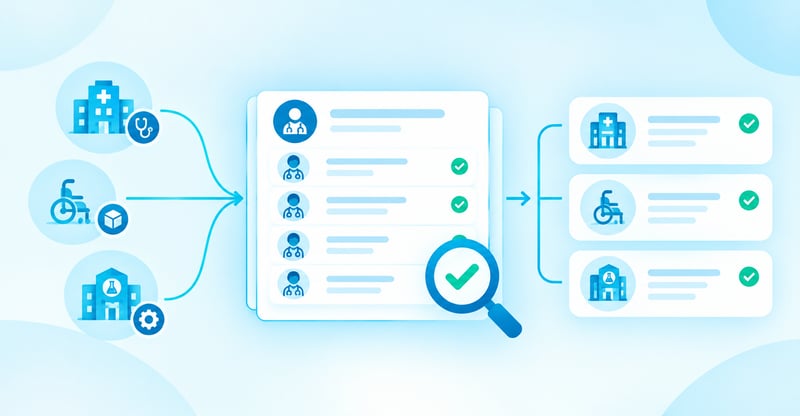
Validating facility records by hand gets harder as a network adds sites, suppliers, and service lines. PRIME® applies its provider directory data validation approach to facility and ancillary records, including hospitals, ancillary providers, and DME suppliers.
The validation runs in 6 layers: it checks the facility’s own website, cross-checks public and government sources, screens for sanctions and exclusions, compares details across other health plan directories in the region, and uses automated outreach calls with escalation to a human call center when information is still missing. Your team can choose which data elements to validate, such as demographics, licensing, network participation, services, and accessibility, and which validation steps to use.
Results arrive in the format your team prefers and show each record’s original values next to the validated values, so you can see exactly what changed. Live dashboards, audit logs, and the evidence behind each validated record support internal review and audits.
To see how PRIME® validates facility and ancillary records alongside practitioner data, request a demo.








.webp?width=387&height=387&name=Medtech%20Breakthrough%20Award%20Winner%20(1).webp)




























%20(1).jpg)