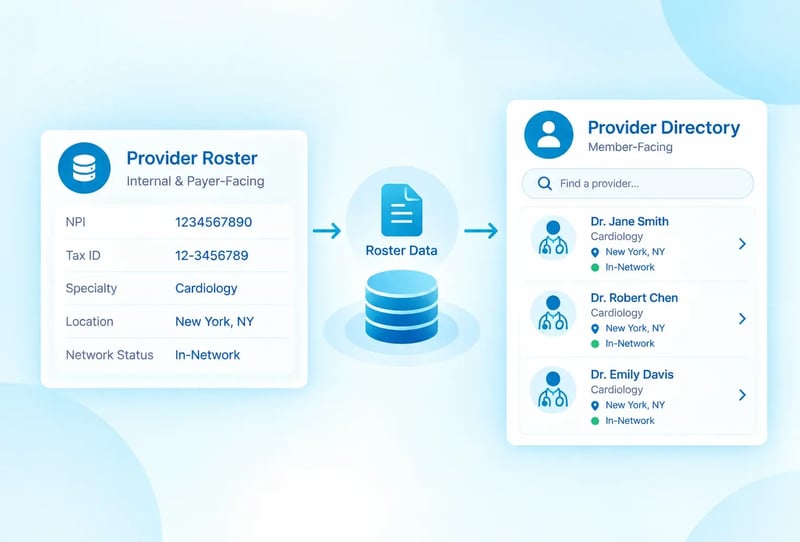
Consider this scenario: A credentialing coordinator gets a claim denial notice for a provider who has been seeing patients for four months. She checks the roster and everything looks right on her end. The provider is listed, the NPI is correct, the effective date is current. The error is not in what she can see. It is in what happened after she submitted the file, three states away, in a payer's intake system that never sent back confirmation.
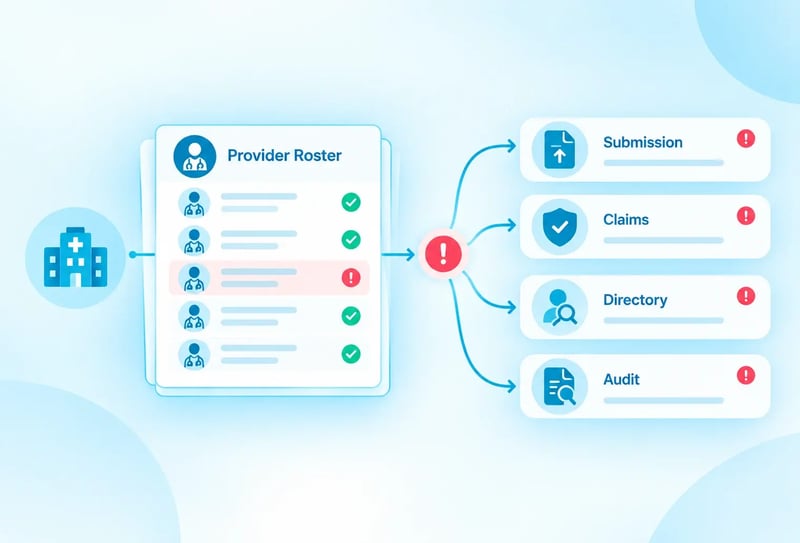
This is what makes roster errors different from most data problems. The error rarely lives where the symptom appears. A denied claim, a rejected file, an outdated directory listing, and a recurring audit flag all look like different problems, but they are the same category of failure showing up at different points in the pipeline.
This reference is organized by where the error surfaces, not by why rosters drift in general, so you can start from what is actually in front of you.
Errors That Surface at Submission
These are the cheapest errors to catch, because the payer has not processed anything yet. The file simply bounces.
Consider a provider group that recently onboarded a new billing coordinator. She inherits a folder of payer templates and pulls what looks like the right one for a routine monthly update. The file gets rejected within a day, not because the data was wrong, but because the payer had revised their template two months earlier and nobody had updated the folder. She loses a week reformatting and resubmitting, and the providers on that file sit in limbo the entire time.
That pattern, a technically correct file rejected for a structural reason, accounts for a large share of submission failures. The data is often fine. The container it arrived in was not.
|
Symptom
|
Likely cause
|
First check
|
|
File rejected outright, no processing
|
Naming convention or template mismatch
|
Confirm you're using the payer's current template version, not a prior period's
|
|
Entire batch rejected for one record
|
Missing required field on a single provider
|
Check for blank license numbers, effective dates, or taxonomy codes
|
|
NPI flagged as invalid
|
Transposed digit or outdated number
|
Validate NPI is 10 digits and matches the NPPES registry
|
|
Provider filed under wrong entity
|
TIN mapping error
|
Confirm the record's TIN matches the payer contract it's being submitted under
|
The operational lesson here is not to double-check every field by hand. It is to treat payer templates as things that expire, the same way you would treat a license or a certification, and build a habit of confirming the template version before every submission rather than after a rejection.
Errors That Surface as Claim Denials
These are the ones that cost money, because by the time you see them, service has already been delivered.
A behavioral health network might onboard a psychiatrist, complete credentialing in three weeks, and submit the roster addition the same day. The claim for her first session denies. Her credentialing was genuinely complete. What was missing was payer processing time, the gap between submission and the payer actually activating her in their system, which for that particular payer runs closer to six weeks. The team had assumed submission and activation happened on the same timeline. They do not, and the assumption is what generated the denial, not an error in the data.
Provider shows as inactive despite being credentialed
This usually means the roster submission and credentialing confirmation went through separate processes that never synced. Confirm the roster add was submitted after credentialing confirmation, not before, since submitting early is a common sequencing mistake.
Claim denials for a provider who was recently added
Payer processing time between submission and activation can run from days to several months depending on the payer. Check whether the payer's typical processing window has actually elapsed before treating this as an error rather than a timing gap.
Claim denials for a provider who left the organization months ago
This points to an unprocessed termination. Confirm the termination was submitted, then check for payer acknowledgment specifically, since submission without confirmed processing is the most common reason terminated providers stay active in a payer's system.
The uncomfortable pattern across all three: the team did the right thing operationally and still got a denial, because the roster's state and the payer's state were never actually the same thing at the same time. Closing that gap matters more than catching data entry mistakes.
Errors That Surface in the Member-Facing Directory
These are the ones patients notice first, which makes them the most visible and often the last to get traced back to their source.
A health system might update a physician's location in its internal system the day she moves clinics. Six weeks later, a patient calls the health plan asking why the directory still lists her old address. Nobody on the credentialing team did anything wrong. The internal update was accurate immediately. The directory was still showing the payer's last processed roster, and the payer had not processed the location change yet.
Directory shows a location the provider no longer practices at
Check whether the roster update reflecting the new location was submitted and acknowledged. Directory data reflects the payer's last processed roster, not your current internal record, and the two are rarely on the same clock.
Directory shows a provider as accepting new patients when the panel is closed
Panel status is a frequently under-tracked field in roster submissions. Confirm panel status is an explicit field in your submission template rather than an assumption carried over from a prior period.
Directory errors are where roster problems become member-facing problems, and they are also where the No Surprises Act directory accuracy requirements put the compliance exposure on the payer even though the root cause usually sits upstream in a roster that was submitted late or never confirmed.
Errors That Surface in an Audit
These are the errors nobody catches in real time, because no single submission looked wrong. The pattern only becomes visible when you step back and look at several cycles at once.
Recurring discrepancy type across multiple reconciliation cycles
A single discrepancy is a data error. The same discrepancy type recurring across cycles is a process error upstream, usually tied to a specific handoff or a specific team's update habits. Trace it to who owns that update type before treating it as another one-off fix. An organization that corrects the same specialty-code mismatch every quarter for a year has not been fixing an error. It has been re-treating a symptom while the actual cause, an unclear ownership handoff for specialty updates, keeps producing it.
Discrepancy count increasing over time rather than stabilizing
This typically indicates reconciliation frequency has not kept pace with provider or payer growth. Compare current provider and payer counts against the cadence your reconciliation process was originally built for. A process built for 200 providers and 8 payers does not automatically scale to 600 providers and 20 payers just because nobody changed the schedule.
What Recurring Errors Are Actually Telling You
The hardest thing about roster errors is that fixing the visible instance feels like progress even when it is not. A corrected claim denial, a resubmitted file, a manually updated directory listing, each of these closes a ticket. None of them closes the gap that produced the error in the first place. The teams that actually reduce their error volume over time are the ones that stop asking "how do we fix this one" and start asking "what does this one reveal about the process upstream." That shift is less about better data entry and more about treating every error as a diagnostic signal rather than a one-off task.
How PRIME® Catches These Before They Compound
PRIME® validates records before submission to prevent the template and field-level errors in this reference from reaching a payer, and tracks acknowledgment status so unconfirmed processing does not sit silently until it surfaces as a denial or an audit finding.
See PRIME® in action to walk through how validation and acknowledgment tracking catch these errors before they reach a claim or an audit.































.webp?width=387&height=387&name=Medtech%20Breakthrough%20Award%20Winner%20(1).webp)