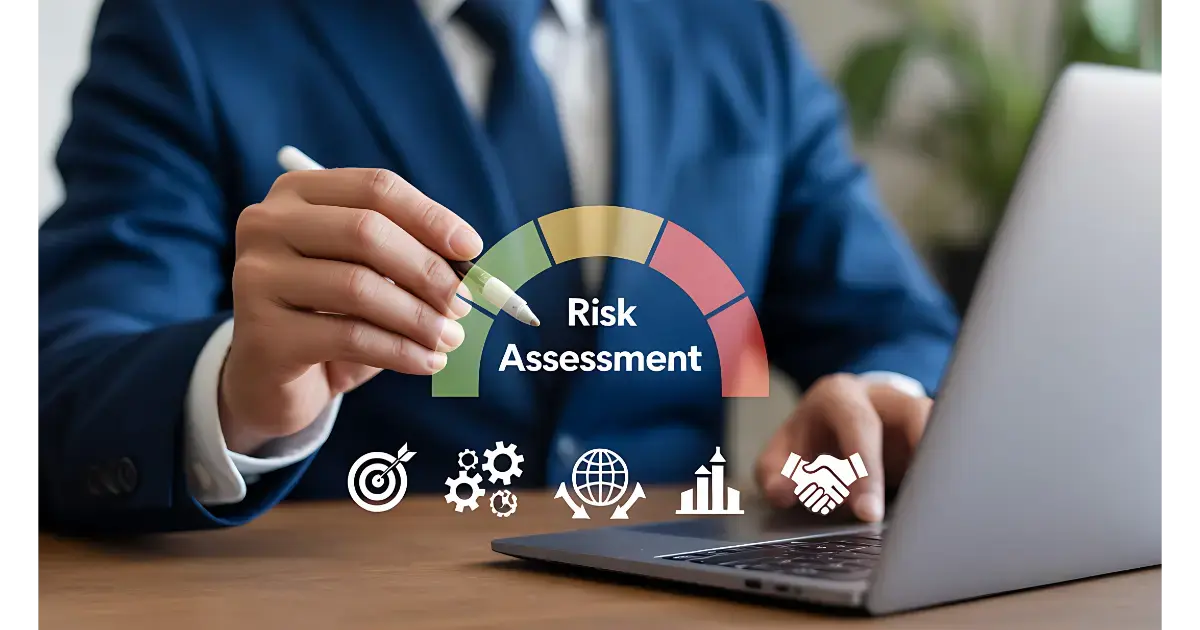
IBM's 2025 Cost of a Data Breach Report found that supply chain compromise takes 267 days on average to identify and contain, longer than any other attack vector, at an average cost of $4.91 million. That gap exists for a structural reason: most vendor risk programs still run on a review cycle instead of a live signal, so a vendor's posture can change months before anyone notices.
Vendor risk management automation replaces that review cycle with continuous, workflow-driven tracking. It does not make risk decisions for you. It removes the coordination work that keeps those decisions from happening on time, so your team can act on a vendor problem in days instead of discovering it at the next scheduled review.
What Is Vendor Risk Management Automation?
Vendor risk management automation uses software to handle repetitive third-party oversight tasks, like data collection, questionnaire routing, and evidence review, so risk teams spend less time on paperwork and more time on judgment calls. It replaces periodic manual reviews with continuous, rules-based tracking of vendor risk signals.
In practice, that spans four areas: enriching vendor records automatically at intake, routing and prefilling assessments based on risk tier, pulling in continuous monitoring signals instead of waiting for a scheduled reassessment, and turning findings into tracked remediation tasks with owners and deadlines.
Where Manual Vendor Risk Management Breaks Down
A manual process works fine at a small vendor count. It breaks down predictably as that count grows, and the failure points are consistent across organizations:
- Vendor records enter the system incomplete, so tiering decisions get made on partial information
- Questionnaires get chased by email, and response tracking lives in someone's inbox instead of a system
- Risk scoring depends on whoever reviewed the vendor that quarter, producing inconsistent results across the portfolio
- Monitoring happens on a fixed schedule, so a vendor's financial or security posture can shift for months before the next check catches it
- Findings get logged but not tracked to closure, so remediation stalls without anyone noticing
None of these are staffing problems. They are structural: a review cycle can only be as current as its last review, and coordination across procurement, security, and compliance does not scale by adding more email threads.
Manual vs Automated Vendor Risk Management
| Task |
Manual process |
Automated process |
| Vendor onboarding |
Data entered by hand from documents and forms |
Records auto-enriched from public and submitted sources |
| Risk scoring |
Depends on the reviewer, varies by team |
Applied consistently against a defined rule set |
| Ongoing monitoring |
Scheduled reassessment, often annual |
Continuous signal tracking with real-time alerts |
| Evidence review |
Analyst reads every document manually |
Key details extracted and flagged for analyst validation |
| Scaling to more vendors |
Requires proportional headcount growth |
Adds vendors without a proportional increase in review time |
The difference that matters most is in the monitoring row. A manual program finds out about a vendor problem when it is scheduled to look. An automated program finds out when the problem happens, which is the entire reason IBM's 2025 supply chain breach detection numbers run so much longer than other attack categories: nobody was watching between reviews.
What Automation Actually Handles (and What It Doesn't)
Automation is strong at logistics and pattern recognition: flagging a control gap, routing an alert to the right owner, reminding a vendor their response is overdue, scoring vendors against the same rule set every time. Continuous monitoring built this way can surface a vendor issue months earlier than an annual review would. Organizations that made extensive use of security AI and automation cut their breach lifecycle by 80 days on average, according to IBM's 2025 Cost of a Data Breach Report.
It is weak at judgment. Deciding whether a control gap is acceptable, evaluating how well a vendor actually responded to an incident, or approving a risk exception still needs a person with business context. A program that tries to automate those calls trades slow decisions for wrong ones. The goal is automating the logistics around a decision, not the decision itself.
How to Start Automating Vendor Risk Management
Automation does not need to happen all at once, and trying to automate everything in the first pass is where most rollouts stall. Here is the order that avoids disrupting a program that is already running.
Map where the coordination work actually happens
Before automating anything, document where your team spends time chasing rather than deciding. Most programs find it concentrated in three places: intake data entry, questionnaire follow-up, and evidence collection.
Automate intake and evidence collection first
This is the highest-impact, lowest-risk starting point. Enriching vendor records automatically and prefilling questionnaires from prior assessments removes the busywork without touching how your team makes risk decisions.
Layer in continuous monitoring next
Once assessment automation is stable, add monitoring feeds for cyber posture, financial signals, and compliance status. This is where the real shift from periodic to continuous risk visibility happens.
Keep judgment calls with a named owner
Every automated workflow still needs a person accountable for exceptions, disputed findings, and risk acceptance decisions. Automation should route these to that owner faster, not remove them from the process.
How ComplyScore® Automates Vendor Risk Management
ComplyScore® runs on a rules-first, AI-assisted model: automation handles prefill, data correlation, and drafting, while every high-risk decision keeps a human sign-off. Vendor Profile Intelligence enriches and normalizes each vendor record the moment it enters the system, so tiering and assessment scope start on complete data instead of a partial form. AI-prefilled questionnaires pull from prior assessments and uploaded evidence to cut the back-and-forth with vendors, and continuous monitoring correlates security, financial, and compliance signals into routed tasks with owners and deadlines instead of alerts that sit unread.
Enviri Corporation, a global environmental solutions company managing more than 25,000 vendors across 31 countries and three separate ERP systems, used this approach to bring a fragmented, largely manual vendor risk process onto a single platform without a disruptive migration. Programs running this way report assessment cycles under 10 days and a 70 to 80 percent reduction in manual effort per assessment [Atlas Systems proprietary data].
Schedule a demo to see how ComplyScore® automates vendor risk management without removing your team from the decisions that matter.
FAQs
What is automated vendor risk management?
Automated vendor risk management uses software to handle repetitive third-party oversight tasks, such as data collection, questionnaire routing, and evidence review, replacing periodic manual reviews with continuous, rules-based tracking of vendor risk signals.
How long does it take to implement vendor risk automation?
Most programs see intake and assessment automation stabilize within weeks, not months, since it builds on existing questionnaires and workflows. Continuous monitoring typically layers in afterward, once assessment automation is running smoothly.
Can a smaller vendor program benefit from automation, or is it only useful at scale?
Coordination overhead grows with vendor count, so the time savings are largest at scale, but even smaller programs benefit from consistent scoring and fewer missed reassessments that manual tracking tends to produce.
What parts of vendor risk management should stay manual?
Decisions that require business context, like accepting a risk exception, evaluating a vendor's incident response, or approving a contract change, should stay with a named human owner. Automation should route these decisions faster, not make them.
Is vendor risk automation the same as continuous monitoring?
Continuous monitoring is one part of vendor risk automation, covering ongoing signal tracking. Automation also includes intake enrichment, questionnaire routing, evidence review, and remediation workflows across the full vendor lifecycle.






.webp?width=387&height=387&name=headless-tprm%20(1).webp)



































%20(1).jpg)